Host Migration Events
Implement the Host Migration Events interface (Class Settings → Interfaces → Add) on an actor, a component, the PlayerState, the GameState or the GameMode.
On Host Migration Save
Runs on the host right before the object is written into a snapshot. Copy transient state into SaveGame variables here, for example the remaining time of a timer or the current AI target.
It runs every snapshot interval, so keep it cheap.
On Host Migration Restored
Runs on the new host after everything is restored and references to other migrated actors point at the right actors again. Restart timers, effects and AI here.
- PlayerStates get it when their player reconnects.
- Kept and respawned pawns of returning players get it too.
Example: a round timer
- Add a SaveGame float
RemainingTimeto the GameState, and add Host Migration Events to its interfaces. - On Host Migration Save:
RemainingTime = Get Timer Remaining Time by Handle (RoundTimer). - On Host Migration Restored:
Set Timer by Event (RoundEnded, RemainingTime).
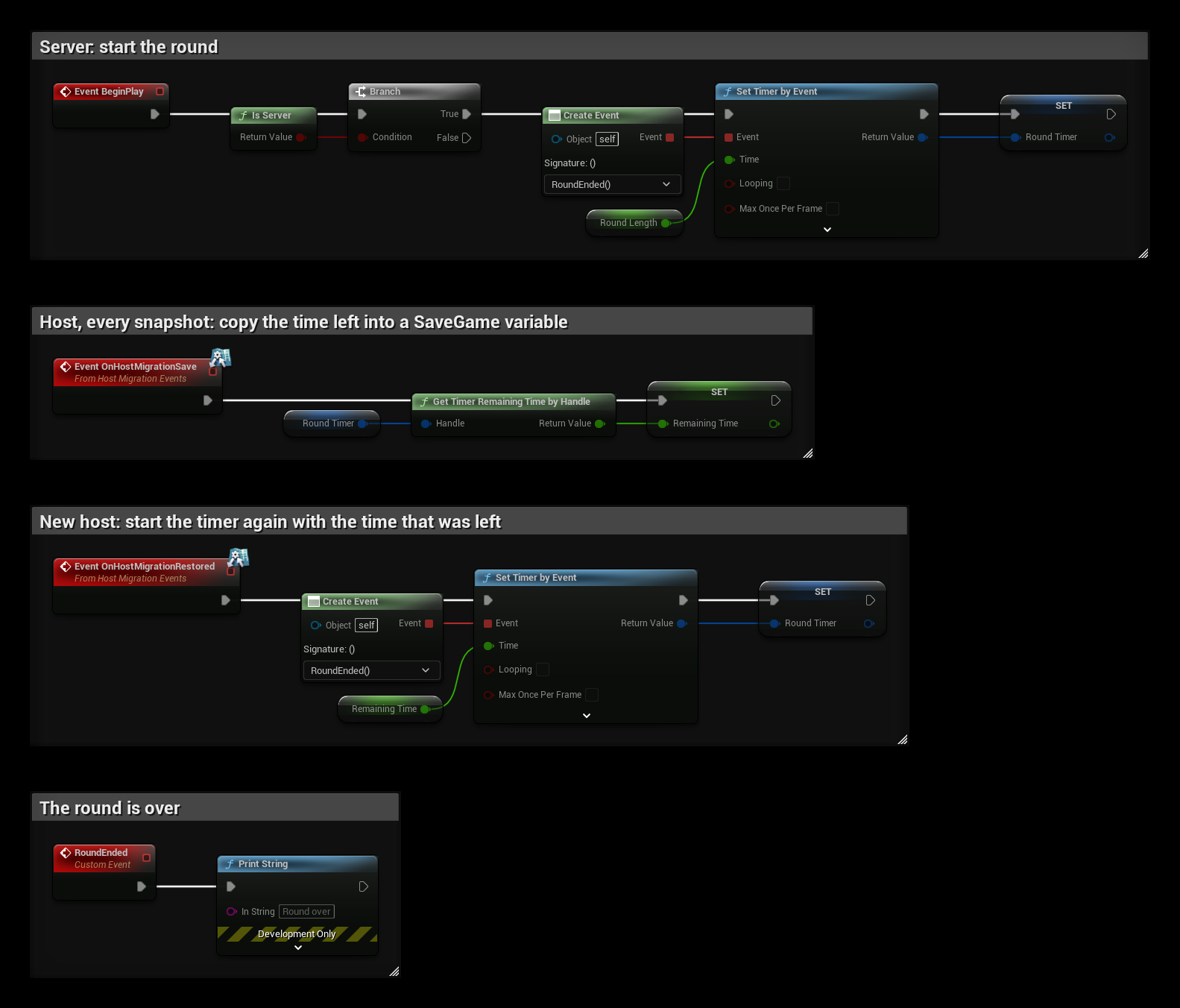
The events show up under Interfaces in the My Blueprint panel once the interface is added. Only RemainingTime
needs SaveGame. The timer handle is not valid on the new host, and On Host Migration Restored sets it again.
Showing a "reconnecting" message
The built-in overlay already does this. For your own UI, bind On State Changed on the subsystem, or set an Overlay Widget Class. See Pause and overlay.